Category: GDPR & Cloud (W7)

  • Cloud & GDPR: 5 Key Requirements and a Quick Comparison (Box, Dropbox, OneDrive, Tresorit)

    # Cloud & GDPR: 5 Key Requirements and a Quick Comparison (Box, Dropbox, OneDrive, Tresorit)

    **Summary**
    Cloud is convenient, but you need a **GDPR lens**. Here are **5 requirements** students should evaluate and a **classroom-oriented** comparison.

    ## 1) Five key requirements

    1. **Controller/Processor contract**: clauses on protection, sub-processors, and technical/organisational measures.
    2. **Encryption in transit and at rest** (ideally end-to-end for sensitive files).
    3. **Location & retention**: data centres, storage periods, deletion policies.
    4. **Key management**: who controls keys and access logging.
    5. **Portability/recovery**: easy export and restore after incidents.

    ## 2) Quick comparison (indicative for learning)

    | Criterion \ Service | Box | Dropbox | OneDrive | Tresorit |
    | —————————– | —————– | ——– | ————————- | ————– |
    | Controller/Processor contract | High | Med-High | High (MS ecosystem) | High |
    | Encryption | High (enterprise) | Med-High | High (in transit/at rest) | **High (E2E)** |
    | Location/retention | High (options) | Med-High | High (MS data centres) | Med-High |
    | Key management | Med-High | Medium | Med-High | High |
    | Portability/recovery | High | High | High | Med-High |
    | **Notes** | | | | |

    * **Tresorit** stands out for **E2E** (privacy-first), with fewer integrations.
    * **OneDrive** benefits from **Microsoft 365** integration in academia.
    * **Box** and **Dropbox** offer solid controls on suitable plans.

    > **Disclaimer**: indicative table for education. Always verify vendor docs before real decisions.
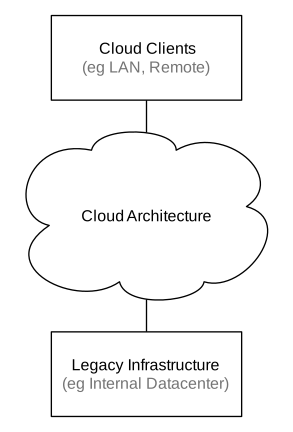
    Cloud Computing Network Diagram

    *Image: Sam Johnston — CC BY-SA — Source: https://commons.wikimedia.org/wiki/File:CloudComputingNetworkDiagram.svg*

  • GDPR for Non-Lawyers: Principles, Legal Bases, and User Rights

    # GDPR for Non-Lawyers: Principles, Legal Bases, and User Rights

    **Summary**
    The **General Data Protection Regulation (GDPR)** aims for data processing that is **lawful, fair, and transparent**. This is what a student/creator really needs.

    ## 1) Key concepts

    * **Personal data**: information identifying or potentially identifying a person (name, email, IP, photo, voice…).
    * **Processing**: any operation on data (collect, store, publish, erase…).
    * **Controller/Processor**: the entity deciding the purposes (controller) and the one processing on its behalf (processor).

    ## 2) Core principles (memory cues)

    * **Lawfulness, fairness, transparency**.
    * **Purpose limitation**.
    * **Data minimisation**.
    * **Accuracy**.
    * **Storage limitation**.
    * **Integrity and confidentiality**.
    * **Accountability**.

    ## 3) Legal bases (when processing is allowed)

    * **Valid consent** (explicit, informed, revocable).
    * **Contract performance**.
    * **Legal obligation**.
    * **Vital interests**.
    * **Public task**.
    * **Legitimate interests** (with balancing and safeguards).

    ## 4) Data subject rights

    * Access, rectification, erasure, objection, restriction, portability, and the right **not** to be subject to automated decisions without safeguards.

    ## 5) Good practice for an academic blog

    * Collect **only** what’s needed (comments).
    * Explain in **Privacy & Cookies**: what, why, and for how long.
    * Provide a contact to exercise rights.
    * Keep backups and basic security.

    EU GDPR

    *Image: TheDigitalArtist — CC0 1.0 (Public Domain) — Source: https://commons.wikimedia.org/wiki/File:EU_gdpr.jpg*